

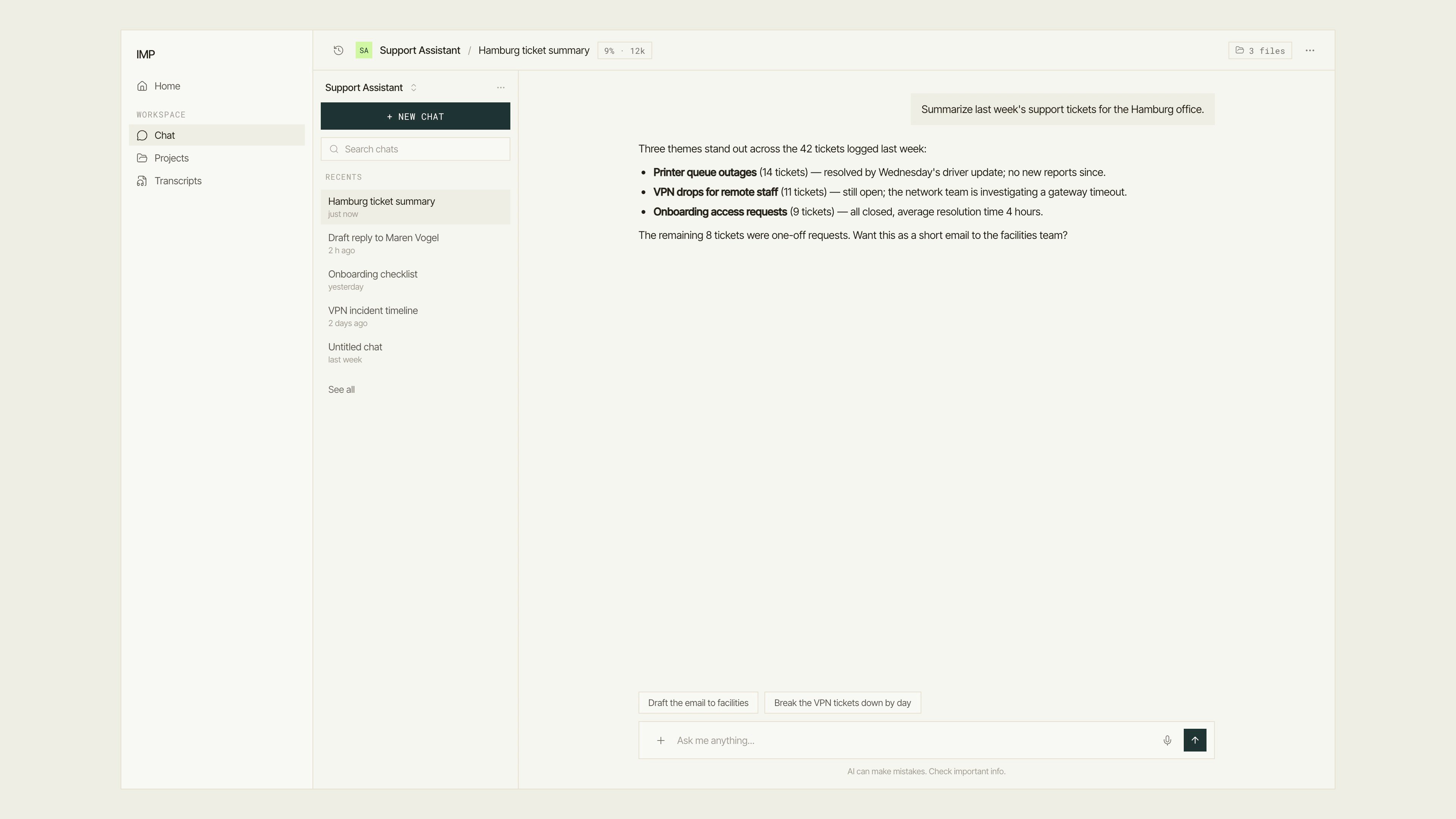
The Chat surface — where end users talk to agents.
The four surfaces
Chat
Where end users talk to agents. Start a session, upload files, continue past conversations, organize work in projects, and transcribe meetings. No configuration required — you open it and start typing.
Building
Where power users create what everyone else uses. Configure agents, build knowledge contexts, write prompts and skills, define routines, and run evals.
Administration
Where platform owners manage the deployment. Invite users, assign roles and teams, set budgets, choose which models are available, configure theming, and review usage analytics.
API and developer tools
Where developers integrate IMP into their own products. The
@exulu/backend npm package, a GraphQL API, a REST API, and an interactive API explorer are all here.The command palette
Wherever you are in IMP, press ⌘+K (or Ctrl+K) to open the command palette. It lists your recent pages, every destination you can navigate to, and create actions like “New agent” or “New project” — type to filter, select a result, and IMP takes you there immediately. The palette only shows what your permissions allow.The command palette: press ⌘K anywhere, type to filter the Navigate and Create groups, and select a result to jump straight to that page.
Deployment models
IMP runs either as a hosted service or as a self-hosted deployment on your own servers and cloud infrastructure. Both use the same codebase. The self-hosted path gives you full control over where data is stored and processed — a key reason organizations choose IMP.If you are evaluating which deployment model fits your organization, see the self-hosting architecture page for the infrastructure requirements and data-residency guarantees.