

Choose an agent
Open Chat from the sidebar. If your organization has more than one agent, IMP shows the Choose an agent screen: “Pick the agent you want to talk to. You can switch at any time.” Select an agent card to start. If only one agent is available — or an administrator has set a default agent — IMP skips the picker and takes you straight into a conversation.If you see No agents available (“You don’t have access to any agents yet. Please contact your administrator.”), an administrator needs to grant you access to at least one agent first.
The chat screen
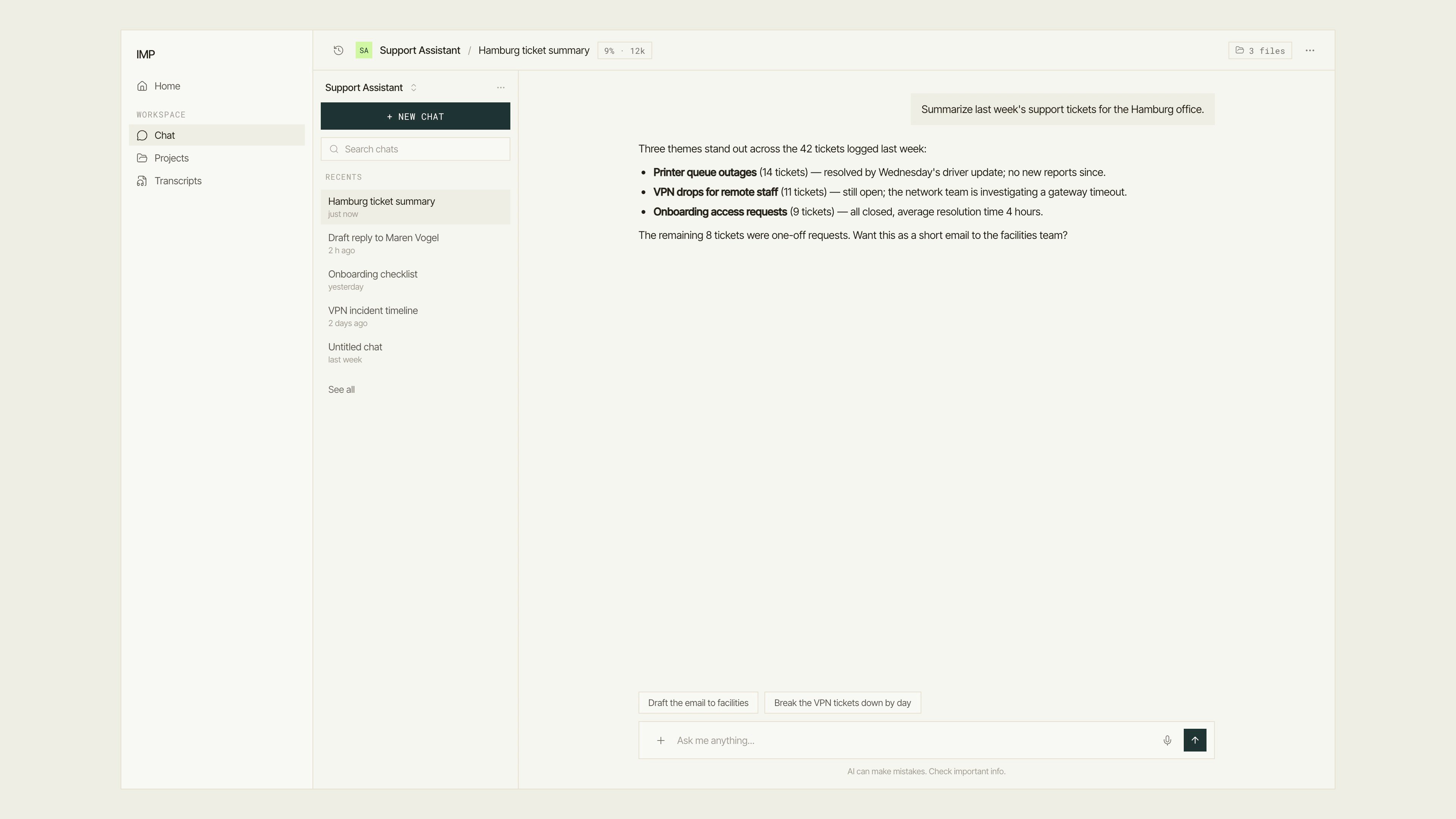
The chat screen: app sidebar, conversation history rail, conversation column, and composer.
- History rail — your past conversations with this agent: a New chat button, a Search chats filter, and a Recents list. See Conversations.
- Header — the agent’s name and the conversation title. Click the title to rename it. A quiet usage chip (for example
9% · 12k) shows how much of the model’s context window this conversation uses; click it for a token and budget breakdown. - ⋯ menu — Share, Save as Routine, Model…, Usage, and Delete conversation. Press ⌘+. to open it from the keyboard.
- Conversation column — messages stream in here. Agent replies can include citations, sources, reasoning steps, and tool results you can expand.
- Composer — the message box at the bottom. It has exactly four controls: the + button (the Add to conversation menu), the text field (“Ask me anything…”), a microphone (when dictation is enabled), and the send button.
Send your first message
1
Type your message
Click into the message box and type. Press Shift+Enter for a new line.
2
Send it
Press Enter or click the send button. The conversation is created automatically with your first message — you don’t need to set anything up.
3
Read the reply
The answer streams in live. While the agent is responding, the send button becomes a stop button you can use to interrupt it.
If a conversation was opened by a routine run, a slim banner appears above the messages showing the routine’s name and a View run link. Click it to jump to the run’s detail page. See Runs and schedules for context.
The Add to conversation menu
The + button opens the Add to conversation menu, which holds everything you can bring into the chat: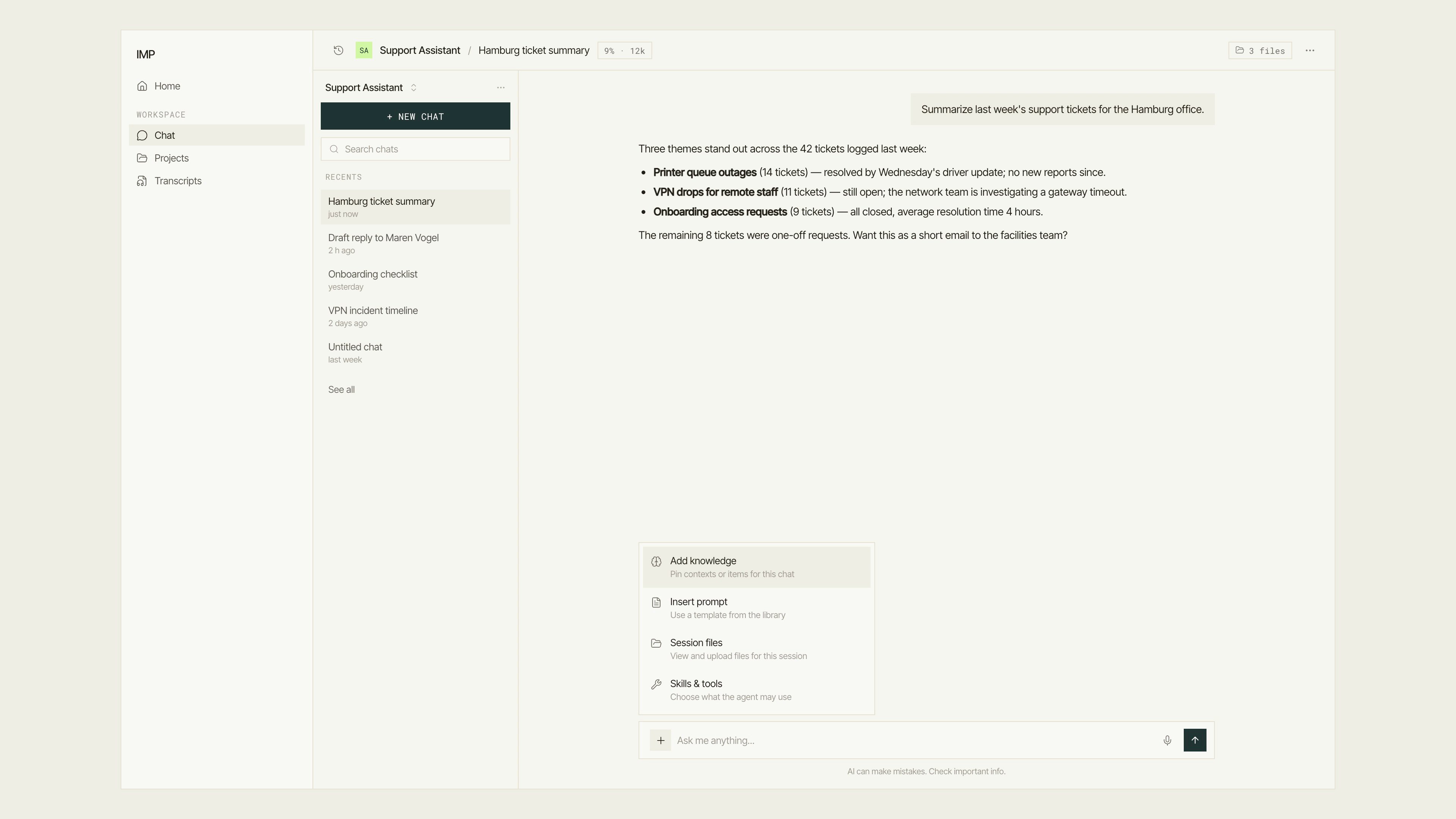
The Add to conversation menu on the composer's + button.
Next steps
Manage conversations
Rename, search, share, and delete your chats.
Attach files
Upload files for the agent and download what it produces.
Dictate messages
Speak instead of typing.
Pin knowledge
Focus the agent on specific contexts and items.